Documentation文档
Liquid Glass for the Web is a set of custom elements that bend light the way Apple’s Liquid Glass does, rendered live in Chrome, Safari and Firefox. It is two dependency-free ES modules: liquid-glass.js, the refraction engine, and components.js, the elements built on it.
Liquid Glass for the Web 是一组自定义元素,像 Apple 的 Liquid Glass 一样弯折光线,在 Chrome、Safari、Firefox 里实时渲染。它由两个零依赖的 ES 模块组成:折射引擎 liquid-glass.js,以及基于它的组件 components.js。
Unlike demos built on backdrop-filter: url(), which only Chromium renders, the glass here bends the element’s own pixels with an SVG displacement map applied through a plain CSS filter. Glass that floats over a photo refracts an aligned copy of that photo, so it works in every engine.
网上很多 demo 基于 backdrop-filter: url(),只有 Chromium 会渲染。这里的玻璃改为通过普通 CSS filter 挂一张 SVG 位移贴图,弯折元素自己的像素。浮在照片上的玻璃,折射的是一份与照片对齐的副本,所以在所有引擎里都能用。
Installation安装
Load the components module once, anywhere on the page. Every lg-* element on the page upgrades automatically.
在页面任意位置引入一次组件模块,页面上所有 lg-* 元素会自动升级。
To self-host, download liquid-glass.js and components.js, keep them side by side, and import components.js. Other sites may import the hosted files directly: they are served with CORS enabled.
想自己托管的话,下载 liquid-glass.js 和 components.js,放在同一目录,然后引入 components.js。其他站点也可以直接 import 这里托管的文件,服务器已开启 CORS。
Only need the engine? Import createGlass from liquid-glass.js and see the Core API.
只需要引擎的话,从 liquid-glass.js 引入 createGlass,见核心 API。
Using a framework在框架中使用
The elements are plain custom elements, so they work in any framework that renders DOM. Import the module once on the client; nothing runs on the server.
这些都是普通的自定义元素,只要框架渲染 DOM 就能用。在客户端引入一次模块即可,服务端什么都不执行。
React / Next.js
Vue
Glass over images照片上的玻璃
Buttons, panels, navbars, menus, toasts and the dock refract what is behind them. Tell them what that is with data-lg-backdrop on a container: an empty value means the container’s own CSS background, a selector points at an image inside it.
按钮、面板、导航栏、菜单、Toast 和 Dock 会折射它们身后的内容。用容器上的 data-lg-backdrop 告诉它们身后是什么:值为空表示容器自己的 CSS 背景,值为选择器则指向容器里的一张图片。
| Backdrop背景 | Chrome · Edge | Safari · Firefox |
|---|---|---|
| Image or CSS background (marked)已标记的图片或 CSS 背景 | Refraction真实折射 | Refraction真实折射 |
| Anything else (arbitrary DOM)其他任意 DOM | Refraction via backdrop-filter通过 backdrop-filter 真实折射 | Frosted blur (--lg-fallback)磨砂模糊(--lg-fallback) |
The copy follows scroll and resize. Glass that moves with a CSS transform: translate() stays aligned; avoid scaling glass with transform: scale().
副本会跟随滚动和缩放窗口自动对齐。用 CSS transform: translate() 移动玻璃不会错位;不要用 transform: scale() 缩放玻璃。
Theming主题
Every element reads these custom properties. Set them on :root or on any container.
所有元素都读取下面这些自定义属性,可以设在 :root 或任意容器上。
| Property属性 | Default默认 | Used for用途 |
|---|---|---|
--lg-accent | #0a84ff | Slider fill, selected labels, menu highlight滑块填充、选中项文字、菜单高亮 |
--lg-on | #34c759 | Switch track when on开关打开时的轨道 |
--lg-surface | #ffffff | Colour behind a control; set transparent on glass or photos控件身后的颜色;放在玻璃或照片上时设为 transparent |
--lg-track, --lg-track-off | #e5e7eb, #d1d5db | Slider and segmented track, switch off state滑块与分段控件的轨道、开关关闭状态 |
--lg-tint | rgb(255 255 255 / .14) | Colour laid over glass (dark tints keep white text legible)覆在玻璃上的色调(深色调能让白字保持清晰) |
--lg-tint-strong | rgb(255 255 255 / .5) | Tint for tone="light"tone="light" 时的色调 |
--lg-indicator | rgb(255 255 255 / .6) | Navbar selection pill导航栏选中项的胶囊 |
--lg-text, --lg-on-glass | #111827, #ffffff | Text on light and on dark glass浅色玻璃和深色玻璃上的文字 |
--lg-shadow-1, --lg-shadow-2 | — | Thumb and glass shadows拇指和玻璃的阴影 |
--lg-fallback | blur(16px) saturate(1.6) | backdrop-filter where refraction is impossible无法折射时使用的 backdrop-filter |
--lg-toast-top | 16px | Distance of toasts from the topToast 距离顶部的距离 |
Switch开关 <lg-switch>
A native checkbox with a glass thumb. At rest the thumb is solid white; press and hold and it turns into glass that bends the track underneath.
一个原生复选框加上玻璃拇指。静止时拇指是实心白色,按住后会变成玻璃,弯折下面的轨道。
| API | Description说明 |
|---|---|
checked | Attribute and property. On or off.属性和特性,开或关。 |
disabled | Attribute. Disables the input.禁用输入。 |
name, value | Passed to the checkbox, so the switch submits with forms.传给内部复选框,开关可以随表单提交。 |
aria-label | Label when the element has no text content.元素没有文字内容时使用的标签。 |
change | Event from the native checkbox; bubbles.来自原生复选框的事件,会冒泡。 |
Slider滑块 <lg-slider>
A native range input. The glass thumb bends the fill only gently, so the value under it stays readable.
一个原生 range 输入。玻璃拇指只轻微弯折填充条,下面的数值始终读得清。
| API | Description说明 |
|---|---|
min, max, step, name | Passed to the range input.传给内部的 range 输入。 |
value | Attribute and property (number).属性和特性(数字)。 |
label | Accessible name.无障碍名称。 |
input, change | Events from the native input; bubble.来自原生输入的事件,会冒泡。 |
Segmented control分段控件 <lg-segmented>
A radio group whose selection indicator is a glass lens. It springs between options and stretches with its speed. Arrow keys move the selection.
一个单选组,选中指示器是一块玻璃透镜,在选项之间弹簧移动,速度越快拉得越长。方向键可以切换选项。
| API | Description说明 |
|---|---|
value | Attribute (initial) and property: the selected button’s value, or its text.属性(初始值)和特性:选中按钮的 value,没有则取文字。 |
label | Accessible name of the group.选项组的无障碍名称。 |
change | Event with detail.value and detail.index.事件,带 detail.value 和 detail.index。 |
refresh() | Call after changing option labels.修改选项文字后调用。 |
Button按钮 <lg-button>
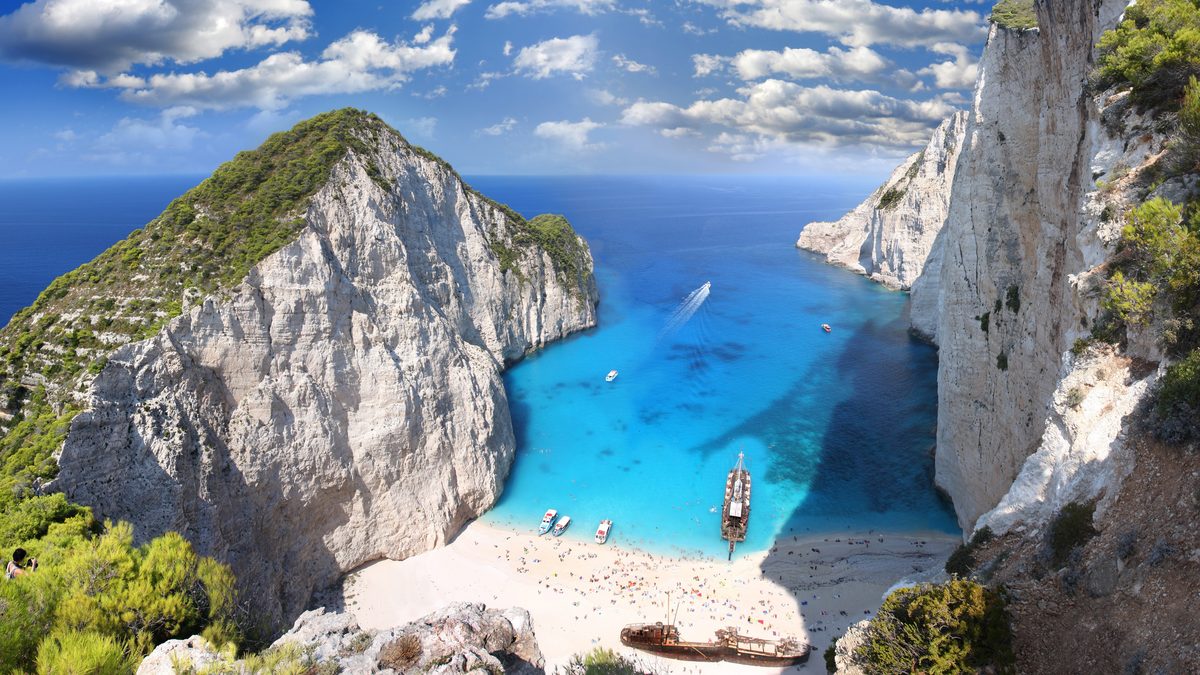
A glass capsule over a backdrop. It squishes when pressed. With href it renders a link.
浮在背景上的玻璃胶囊,按下时会被挤压。设置 href 时渲染成链接。
| API | Description说明 |
|---|---|
tone | clear (default), tinted (accent colour) or light (white glass, dark text).clear(默认)、tinted(强调色)或 light(白色玻璃、深色文字)。 |
href, target | Render a link instead of a button.渲染成链接而不是按钮。 |
type, disabled | Passed to the button.传给内部按钮。 |
radius, backdrop | Corner radius (default capsule) and backdrop selector.圆角(默认胶囊形)和背景选择器。 |
Panel面板 <lg-panel>
A frosted glass card. Put anything inside; controls placed in it should use --lg-surface: transparent.
磨砂玻璃卡片,里面可以放任何内容;放在面板里的控件要设 --lg-surface: transparent。

| API | Description说明 |
|---|---|
tone | light for white glass with dark text.light 为白色玻璃、深色文字。 |
radius, backdrop | Corner radius (default 24) and backdrop selector.圆角(默认 24)和背景选择器。 |
| Optics光学属性 | Default blur is 2 for legibility; set blur="0" for clear glass.默认 blur 为 2 以保证可读性;设 blur="0" 得到清透玻璃。 |
Navbar导航栏 <lg-navbar>
A glass capsule of links or buttons with a glass indicator that follows the pointer and settles on the current item (aria-current="page").
由链接或按钮组成的玻璃胶囊,玻璃指示器跟随指针,并停在当前项(aria-current="page")上。
| API | Description说明 |
|---|---|
tone | light for white glass with dark text.light 为白色玻璃、深色文字。 |
setCurrent(i) | Mark item i as current and move the indicator.把第 i 项设为当前项并移动指示器。 |
refresh() | Call after changing item text.修改项目文字后调用。 |
A navbar fixed over scrolling page content has no known backdrop. It refracts in Chromium and falls back to --lg-fallback in Safari and Firefox, like the sticky bar on the home page.
固定在滚动内容上方的导航栏没有已知背景:在 Chromium 里真实折射,在 Safari 和 Firefox 里退化为 --lg-fallback,首页顶部吸附的导航栏就是这样。
Menu bar & Menu菜单栏与菜单 <lg-menubar> <lg-menu>
A floating glass bar whose menus open as frosted glass panels with a glass highlight that slides between items. Arrow keys, Enter and Escape work as in a desktop menu bar.
悬浮的玻璃菜单栏,菜单展开为磨砂玻璃面板,高亮本身是一块在菜单项之间滑动的玻璃。方向键、回车、Esc 的行为和桌面菜单栏一致。
| API | Description说明 |
|---|---|
label | On lg-menu: the trigger text.用在 lg-menu 上:触发按钮的文字。 |
data-shortcut | On a menu item: shortcut hint shown on the right.用在菜单项上:右侧显示的快捷键提示。 |
select | Event on lg-menu (bubbles) with detail.item and detail.value.lg-menu 上的事件(会冒泡),带 detail.item 和 detail.value。 |
show(), close() | Open or close a menu from script.用脚本打开或关闭菜单。 |
Toast toast()
Toasts drop in from the top on a spring, stretch as they land and leave on their own. They are announced to screen readers through a polite live region.
Toast 带着弹簧从顶部落下,落地时被拉伸,到时间自动离开;会通过礼貌型的 live region 播报给读屏软件。

| Option选项 | Description说明 |
|---|---|
icon | check, info, alert, bell, your own SVG markup, or null.check、info、alert、bell、自定义 SVG,或 null。 |
duration | Milliseconds before it leaves (default 2600, 0 keeps it). Clicking dismisses.多少毫秒后离开(默认 2600,0 表示不自动离开)。点击可关闭。 |
container | Element to show it in (default document.body, fixed to the viewport).显示在哪个元素里(默认 document.body,固定在视口)。 |
tone, backdrop | As on buttons.与按钮相同。 |
| returns返回值 | { close(), element } |
Dock <lg-dock>
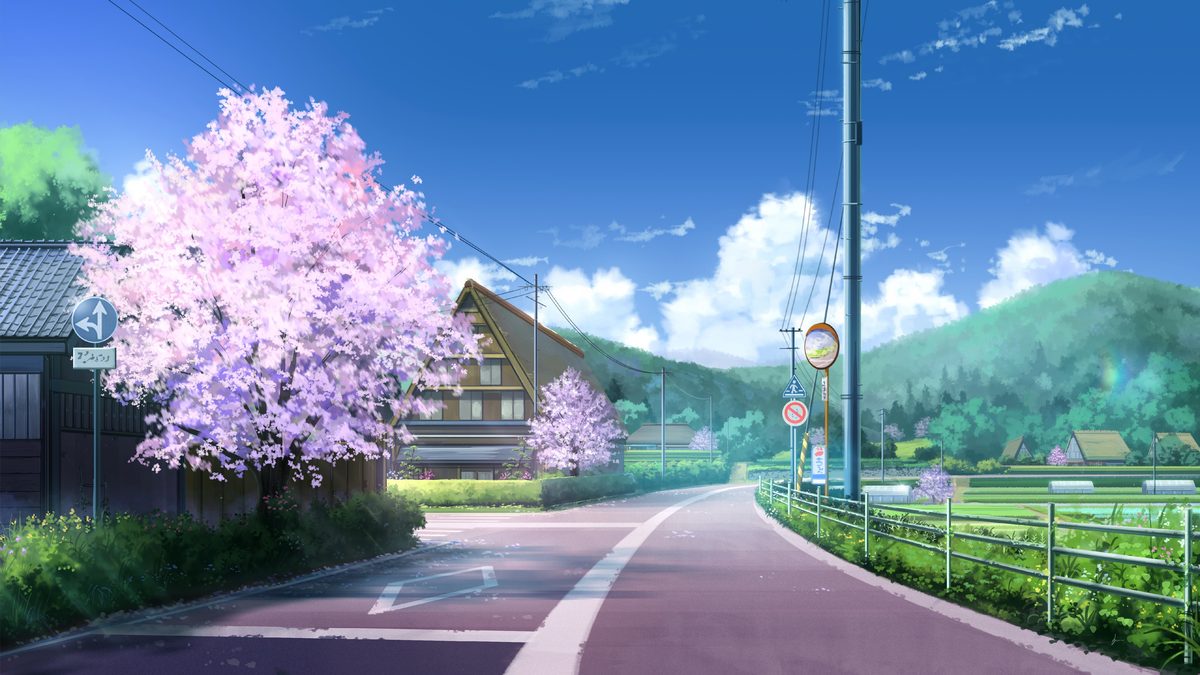
A glass shelf for icon buttons. A magnifying lens follows the pointer (or keyboard focus) across the icons.
放图标按钮的玻璃托盘,一块放大透镜跟随指针(或键盘焦点)在图标上移动。
Lens透镜 <lg-lens>
Wraps any content and refracts it through a lens that follows the pointer. Outside the lens the content is the original DOM: text stays selectable and links stay clickable. Give the content an opaque background.
包住任意内容,用跟随指针的透镜去折射它。透镜以外是原始 DOM:文字可选中、链接可点击。内容要有不透明的背景。
| API | Description说明 |
|---|---|
width, height, size | Lens size in px (default 160).透镜尺寸,单位 px(默认 160)。 |
radius | Corner radius (default: half the shorter side).圆角(默认短边的一半)。 |
x, y | Resting position in % of the element (default 50).静止位置,占元素的百分比(默认 50)。 |
configure(options) | Change size and optics at runtime.运行时修改尺寸和光学参数。 |
moveTo(x, y) | Move the lens from script (px).用脚本移动透镜(px)。 |
Optics attributes光学属性
Every glass element accepts these attributes to override its defaults. Try them live in the playground.
所有玻璃元素都可以用下面这些属性覆盖默认值,可以在调参区里实时试。
| Attribute属性 | Range范围 | Effect作用 |
|---|---|---|
refraction | 0–60 | How far the rim bends content, in px.边缘弯折的距离,单位 px。 |
bezel | 0.1–1 | Width of the curved rim as a share of the half size; 1 is a full dome.弯折带宽度占半个短边的比例;1 为整块穹顶。 |
curvature | 2–6 | Rim profile: 2 is round, higher is a flatter top with a sharper edge.边缘轮廓:2 为圆弧,数值越大顶部越平、边缘越陡。 |
ior | 1.3–2 | Index of refraction; shapes how fast the bend fades inward.折射率,决定弯折向内衰减的快慢。 |
chroma | 0–0.3 | Colour fringe at the rim.边缘的色散彩边。 |
blur | 0–8 | Frost, in px.磨砂程度,单位 px。 |
specular, specular-width | 0–1, 1–4 | Rim highlight strength and width.边缘高光的强度和宽度。 |
light-angle | -180–180 | Light direction in degrees; -90 is from the top.光照方向(度),-90 为从上方照射。 |
Core API核心 API
createGlass(element, options) puts a lens on any element and bends that element’s own pixels. Moving the lens is cheap; the displacement map is regenerated only when its shape or optics change.
createGlass(element, options) 可以给任意元素加一块透镜,弯折这个元素自己的像素。移动透镜开销很小,只有形状或光学参数变化时才重新生成位移贴图。
| Option选项 | Description说明 |
|---|---|
x, y, width, height, radius | Lens rectangle in CSS px, relative to the element’s border box.透镜矩形,CSS px,相对元素的 border box。 |
| optics光学参数 | refraction, bezel, curvature, ior, chroma, blur, specular, specularWidth, lightAngle, invert, mapScale |
fit | The lens follows the element’s own size.透镜跟随元素自身尺寸。 |
clip | Clip the element to the lens shape (for decorative copies on top of real controls).把元素裁成透镜形状(用于盖在真实控件上的装饰副本)。 |
mode: 'backdrop' | Bend what is behind the element; Chromium only, others get fallback.弯折元素身后的内容;仅 Chromium,其他浏览器使用 fallback。 |
hidden | No lens; toggle with update({ hidden }).不显示透镜;用 update({ hidden }) 切换。 |
renderLensMap(options, scale) returns the displacement map as a canvas, the same one both renderers use. engine reports blink, webkit or gecko.
renderLensMap(options, scale) 以 canvas 形式返回位移贴图,两个渲染器用的是同一张。engine 返回 blink、webkit 或 gecko。
WebGL glass-webgl.js
Safari never hands a playing <video> to SVG filters, and canvas content has no DOM to filter. For those, glass-webgl.js draws the same lenses in WebGL from the same maps.
Safari 不会把播放中的 <video> 交给 SVG 滤镜,canvas 里的内容也没有 DOM 可以处理。这两种情况用 glass-webgl.js,它用同一张贴图在 WebGL 里画出同样的透镜。
Browser support浏览器支持
- Chrome, Edge and other Chromium browsers, Safari on macOS and iOS (every iOS browser is WebKit), and Firefox: controls, lenses and glass over a marked backdrop refract identically.
- Chrome、Edge 等 Chromium 浏览器,macOS 和 iOS 上的 Safari(iOS 上所有浏览器都是 WebKit),以及 Firefox:控件、透镜和已标记背景上的玻璃,折射效果完全一致。
- Glass over arbitrary DOM refracts in Chromium only and falls back to a frosted blur elsewhere.
- 浮在任意 DOM 上的玻璃只在 Chromium 里真实折射,其他浏览器退化为磨砂模糊。
- Keep filtered areas reasonably small. WebKit caps the size of a filter’s input, and very large glass can break into tiles.
- 被滤镜处理的区域不要太大:WebKit 对滤镜输入尺寸有上限,特别大的玻璃可能碎成块。
Accessibility无障碍
- Switches, sliders and segmented controls are native inputs and radios; the glass on top is an
aria-hiddencopy withpointer-events: none. - 开关、滑块、分段控件都是原生 input 和单选按钮;上面的玻璃是
aria-hidden的副本,并设了pointer-events: none。 - Focus rings are drawn on the visible thumb; menus and segmented controls follow the expected keyboard patterns.
- 焦点环画在可见的拇指上;菜单和分段控件遵循常规的键盘操作方式。
prefers-reduced-motionturns springs into instant changes, andprefers-reduced-transparencyswitches glass to an opaque tint.prefers-reduced-motion会让弹簧动画直接跳到终点,prefers-reduced-transparency会把玻璃换成不透明色调。- Check text contrast on your own images; use a darker
--lg-tintbehind white text on bright photos. - 请按你自己的图片检查文字对比度;在明亮照片上放白字时,把
--lg-tint调深一些。
AI agent skillAI 编程 skill
The repository ships liquid-glass-web, a skill for Claude Code and Codex. It teaches the agent this technique, the per-engine fixes that make it work in Safari and Firefox, the component patterns, and a script that screenshots a page in Chrome, WebKit and Firefox so the agent can check its own work.
仓库里附带 liquid-glass-web 这个 skill,可用于 Claude Code 和 Codex。它会教 AI:这套技术、让效果在 Safari 和 Firefox 里也成立的各引擎修正、各种组件写法,以及一个在 Chrome、WebKit、Firefox 里分别截图的脚本,让 AI 能自己检查做出来的效果。
Then just ask for it, for example: “add a liquid glass navbar over the hero image”. The agent loads the skill when a request calls for web glass or refraction.
之后直接提需求就行,例如“在首屏大图上加一个液态玻璃导航栏”。遇到网页玻璃或折射相关的请求,AI 会自动加载这个 skill。
Credits & license致谢与许可
MIT licensed. The approach of refracting live DOM with a displacement map, rather than using backdrop-filter, was described by Aave Labs in Building Glass for the Web; this library is an independent implementation. Icons are from Lucide.
MIT 许可。用位移贴图折射实时 DOM、而不是用 backdrop-filter 的思路,出自 Aave Labs 的文章 Building Glass for the Web;本库为独立实现。图标来自 Lucide。